
Edit home screen apps ViewBoard OS 3.0
Find all installed applications in the home screen app tray.
- On the home screen, press-hold anywhere on the wallpaper.
- Press Edit Launcher in the home screen menu that appears.
- With the number of slots available, add all your desired apps by pressing the plus button
 on the icon.
- Alternatively, remove apps by pressing the minus button
 on the home screen apps.
- Alternatively, remove apps by pressing the minus button
- You can also press-hold and drag applications onto the home screen.
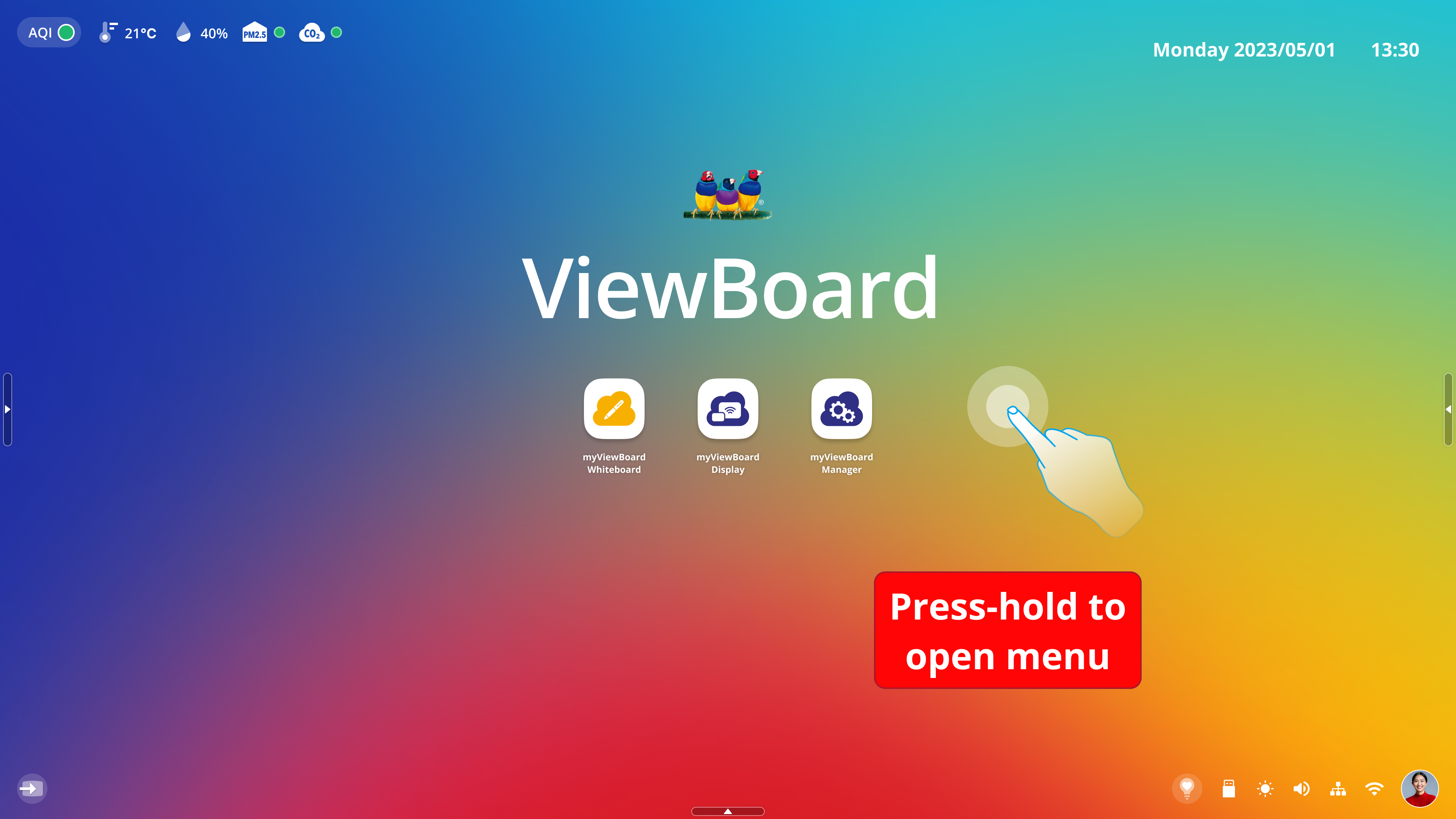 Example of user action required to open home screen menu.
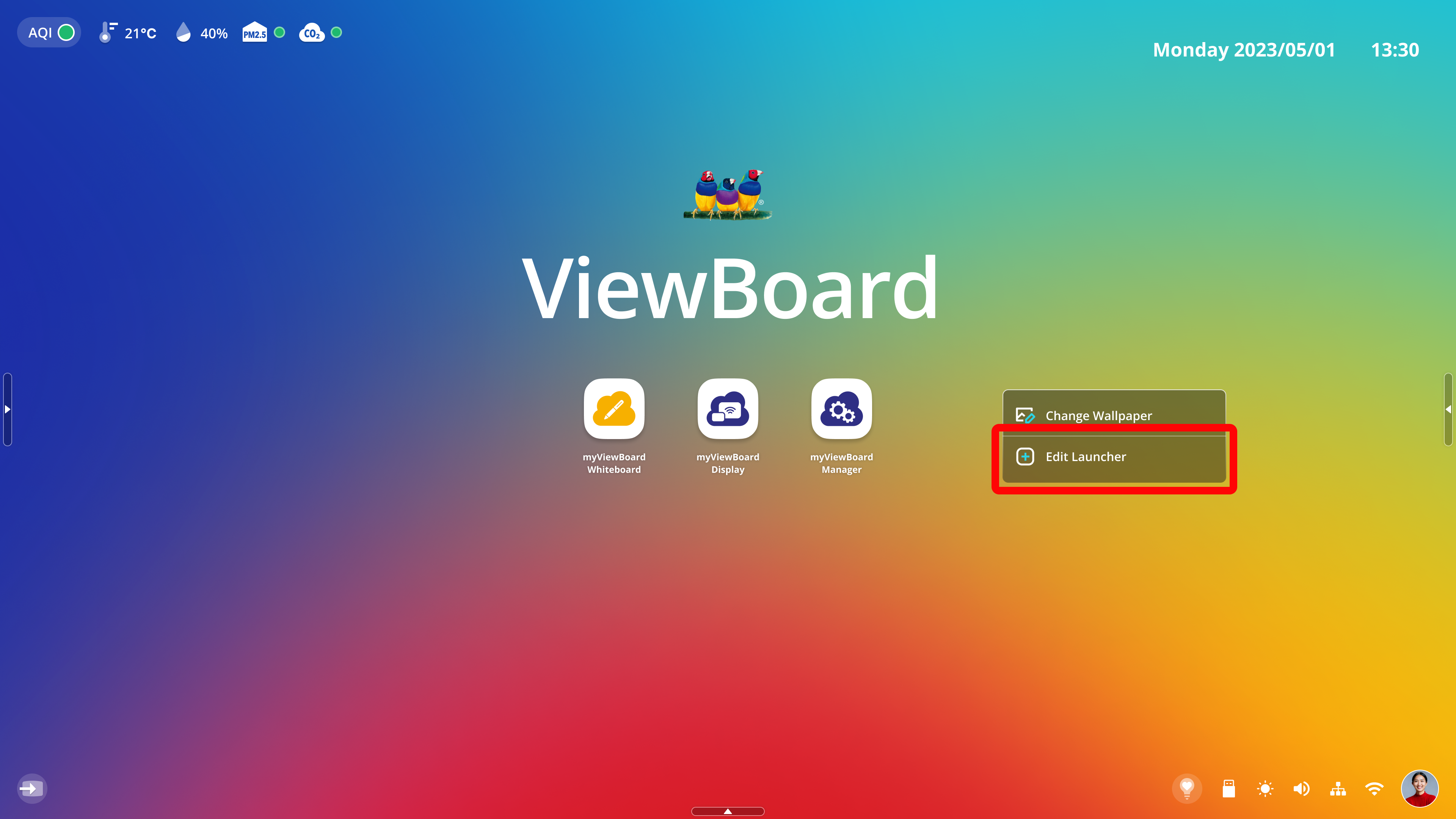 Edit Launcher button highlighted in home screen menu.
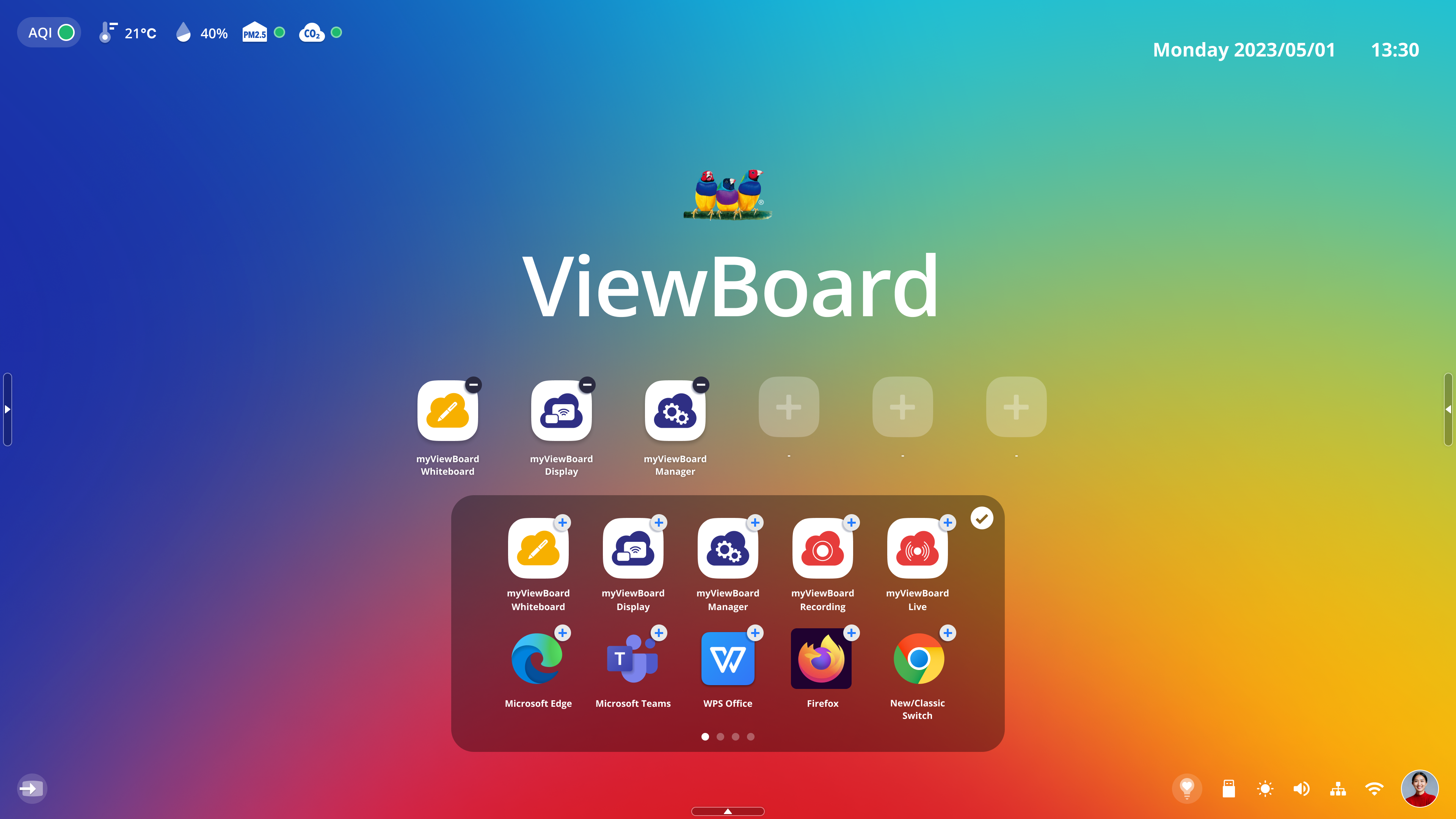 App tiles are now editable with three slots open to add other apps.
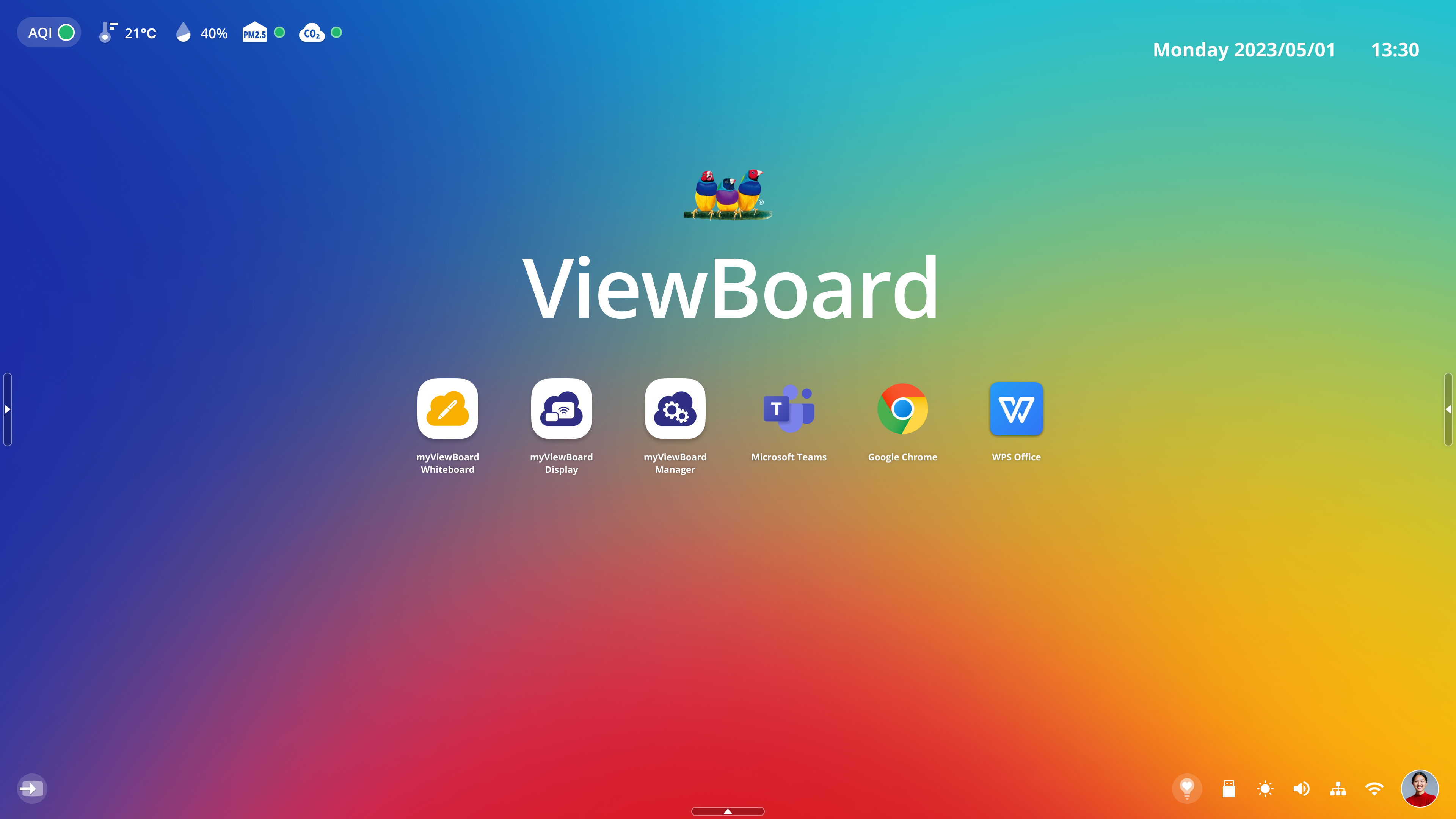 Result of user adding three apps to the home screen.