
Wallpaper change ViewBoard OS 3.0
You can also change the home screen wallpaper from the home screen.
- On the home screen, press-hold anywhere on the wallpaper.
- Press Change Wallpaper in the home screen menu that appears.
- A number of preset wallpapers will appear. Select any of these or press the plus button to select an image from your local storage.
- Once you select a wallpaper, you'll see a preview of the wallpaper.
- When ready to apply the wallpaper, press Set Wallpaper.
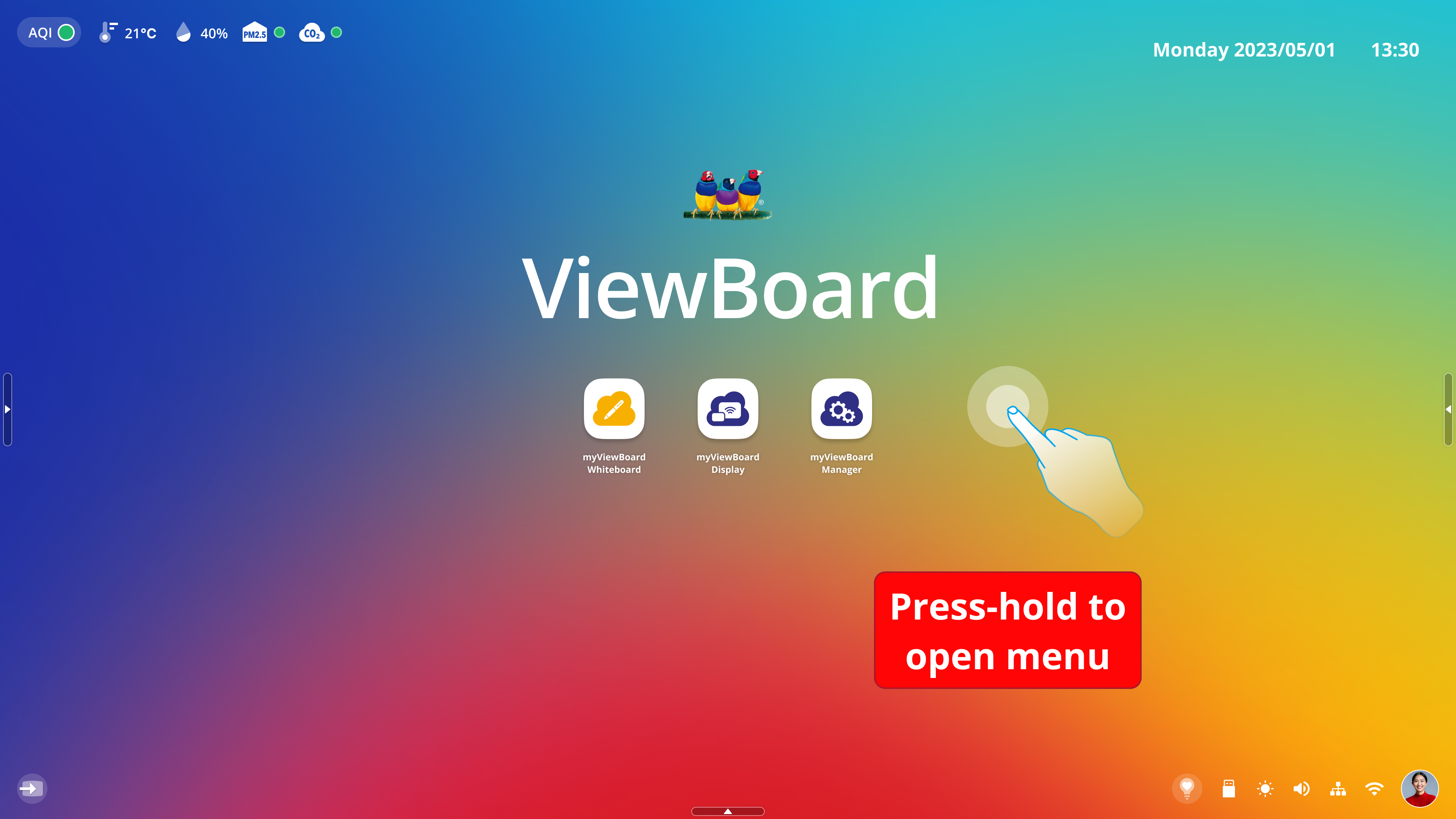 Example of user action required to open home screen menu.
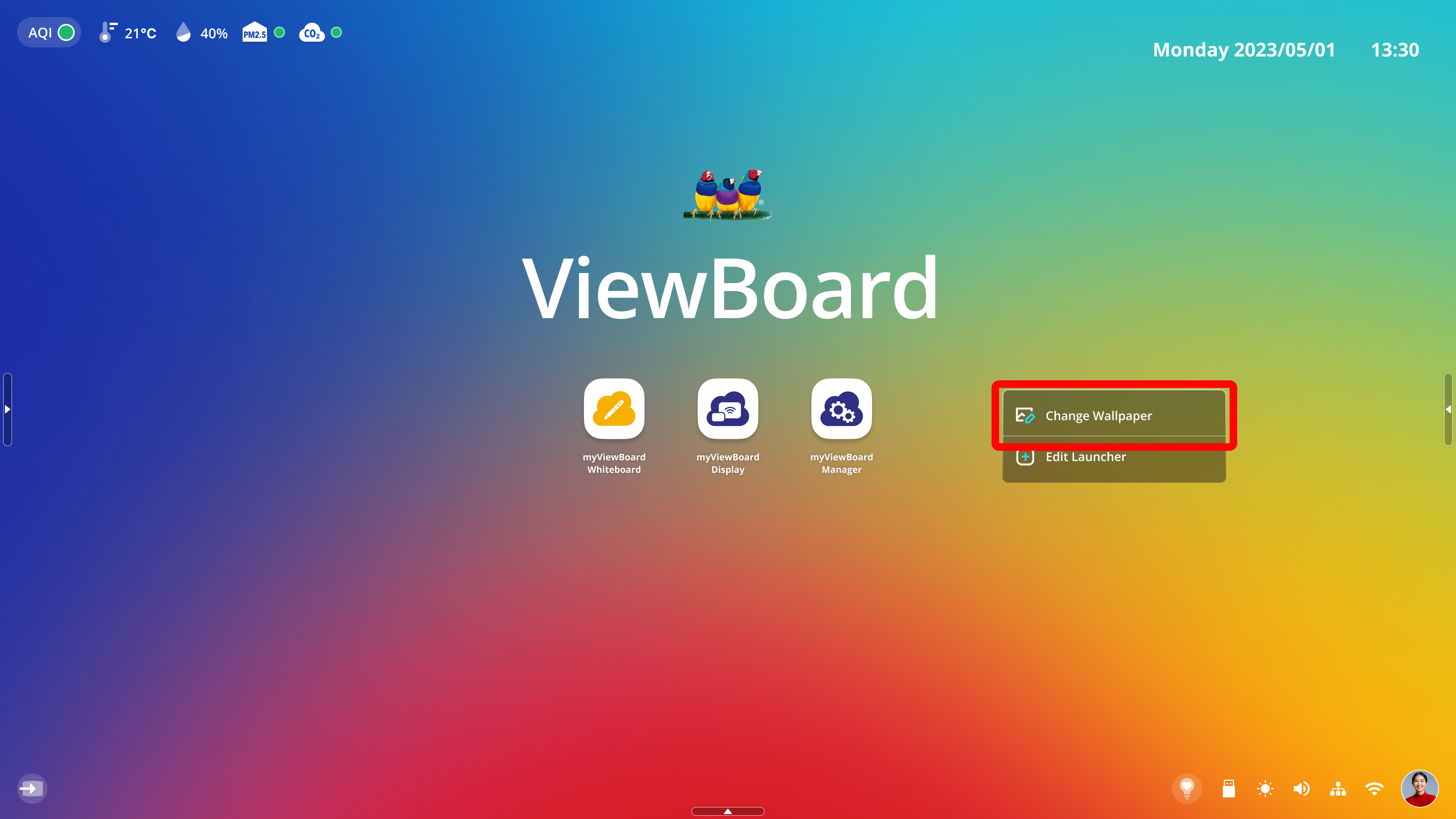 Change Wallpaper button highlighted in home screen menu.
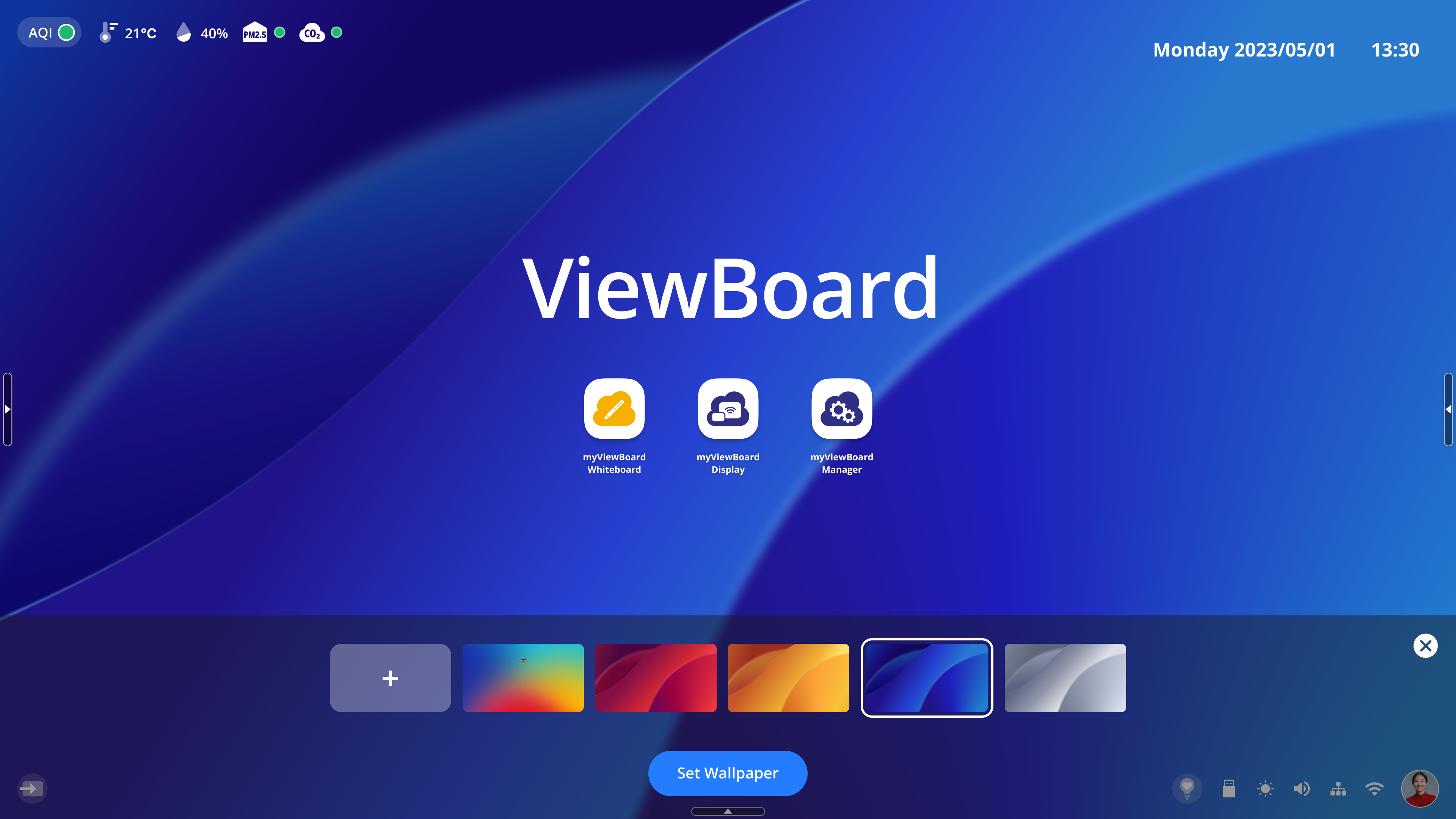 User has selected another wallpaper and it has been applied as a preview. Set Wallpaper button appears at the bottom-center.